Key Takeaways
- Database Restructuring & Cleanup: Migrate to WordPress Multisite or a suitable localized database architecture. Remove outdated shortcodes, hardcoded URLs, and unnecessary localized data before deploying regional sites.
- International SEO & Hreflang: Implement automated hreflang tags using tools like WPML, Polylang, or Yoast SEO to map language and regional page variations correctly and help search engines serve the right versions.
- Localization & Translation Workflows: Integrate Translation Management Systems (TMS) through APIs to automate content translation, synchronize regional updates, and reduce manual copy-pasting across markets.
- Global Infrastructure & CDN: Use cloud storage such as AWS S3, image optimization platforms like Cloudinary or BunnyCDN, and a global CDN to improve asset delivery and page-loading speeds worldwide.
- Geo-Routing & Regional Performance: Configure DNS routing through services like Amazon Route 53 or Cloudflare where appropriate to direct traffic efficiently and deliver cached content closer to users.
- Localized Dynamic Content: Ensure currency switchers, checkout systems, pricing, forms, and user portals serve the correct regional data. Configure cache keys and server-side geolocation carefully to prevent cross-market pricing or content mismatches.
- Data Privacy & Regional Compliance: Address GDPR, CCPA, and other applicable privacy requirements with appropriate cookie consent, localized privacy policies, and compliant data-handling practices.
- SEO & URL Mapping: Preserve existing URLs wherever possible, implement accurate redirects when URLs change, update internal links, and verify canonical tags, XML sitemaps, and regional indexing after migration.
- Testing & Quality Assurance: Test regional navigation, translations, hreflang mappings, redirects, checkout flows, caching, mobile performance, and analytics before launching each market.
- Scalability & Ongoing Synchronization: Establish a centralized content governance process, clear regional ownership, automated deployment workflows, and continuous monitoring to support future market expansion.
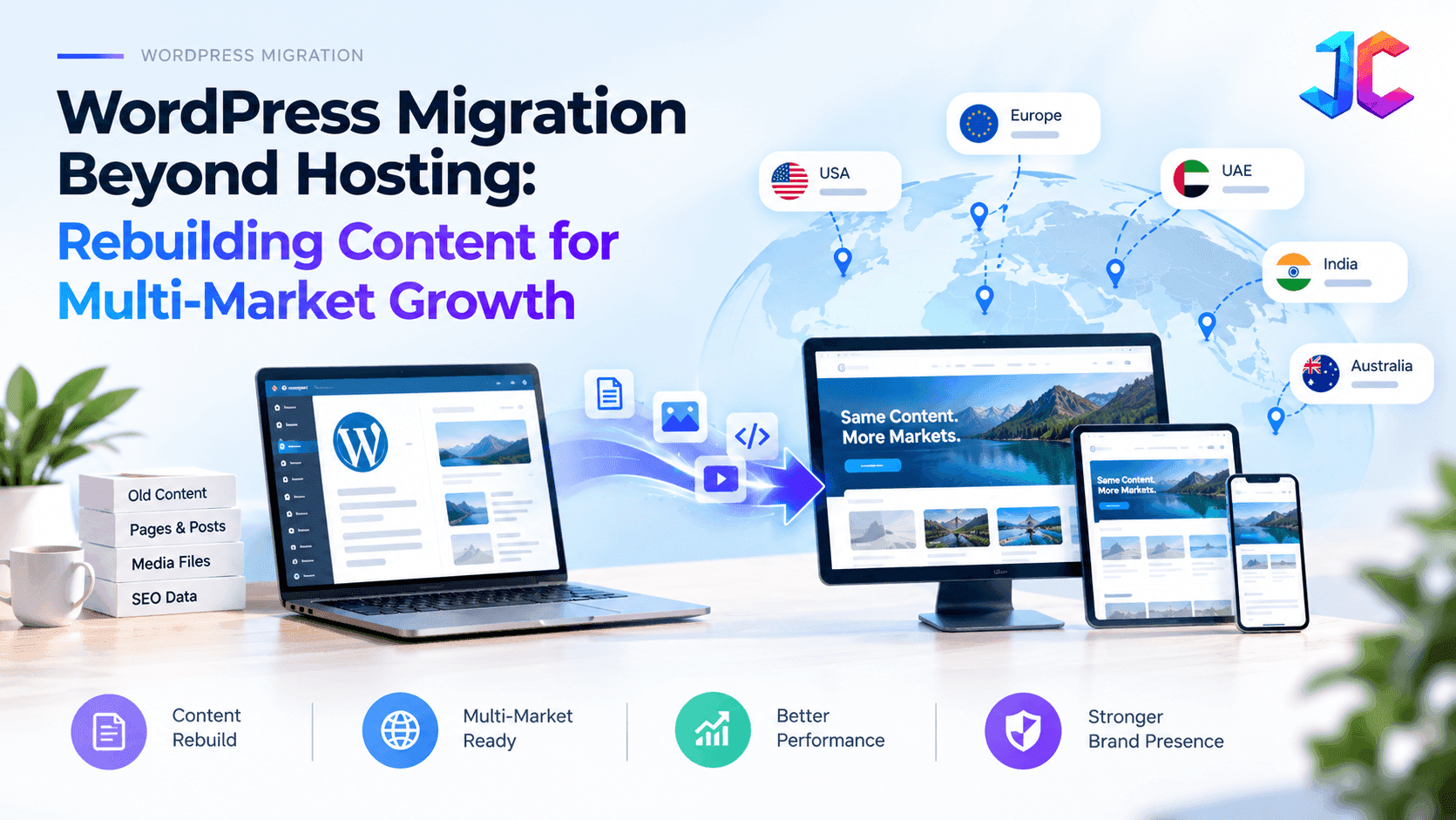
A successful multi-market WordPress migration goes beyond transferring hosting and databases. It requires restructuring architecture, localizing content, preserving international SEO, optimizing global performance, ensuring regional compliance, and building scalable workflows for long-term international growth.
A WordPress migration can improve hosting performance, security, and reliability. But for businesses expanding across countries, languages, products, and digital channels, moving the existing website is only part of the challenge.
Years of page-based publishing, duplicated regional content, plugin dependencies, and custom PHP code can make even simple updates slow and difficult to scale. Moving that setup to a new server does not solve the underlying content architecture problems.
This is where CMS migration services need to go beyond infrastructure and address how content is structured, governed, localized, and delivered.
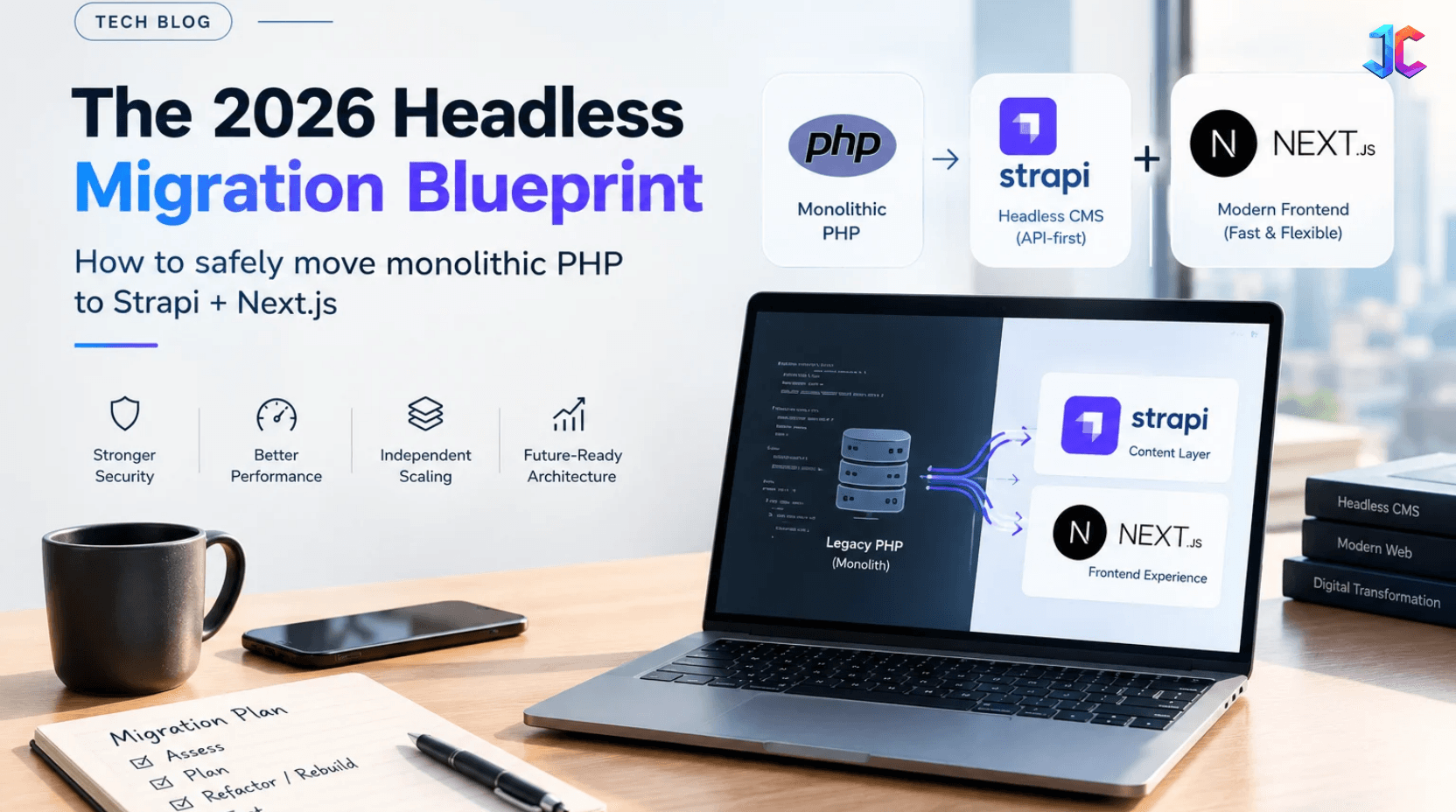
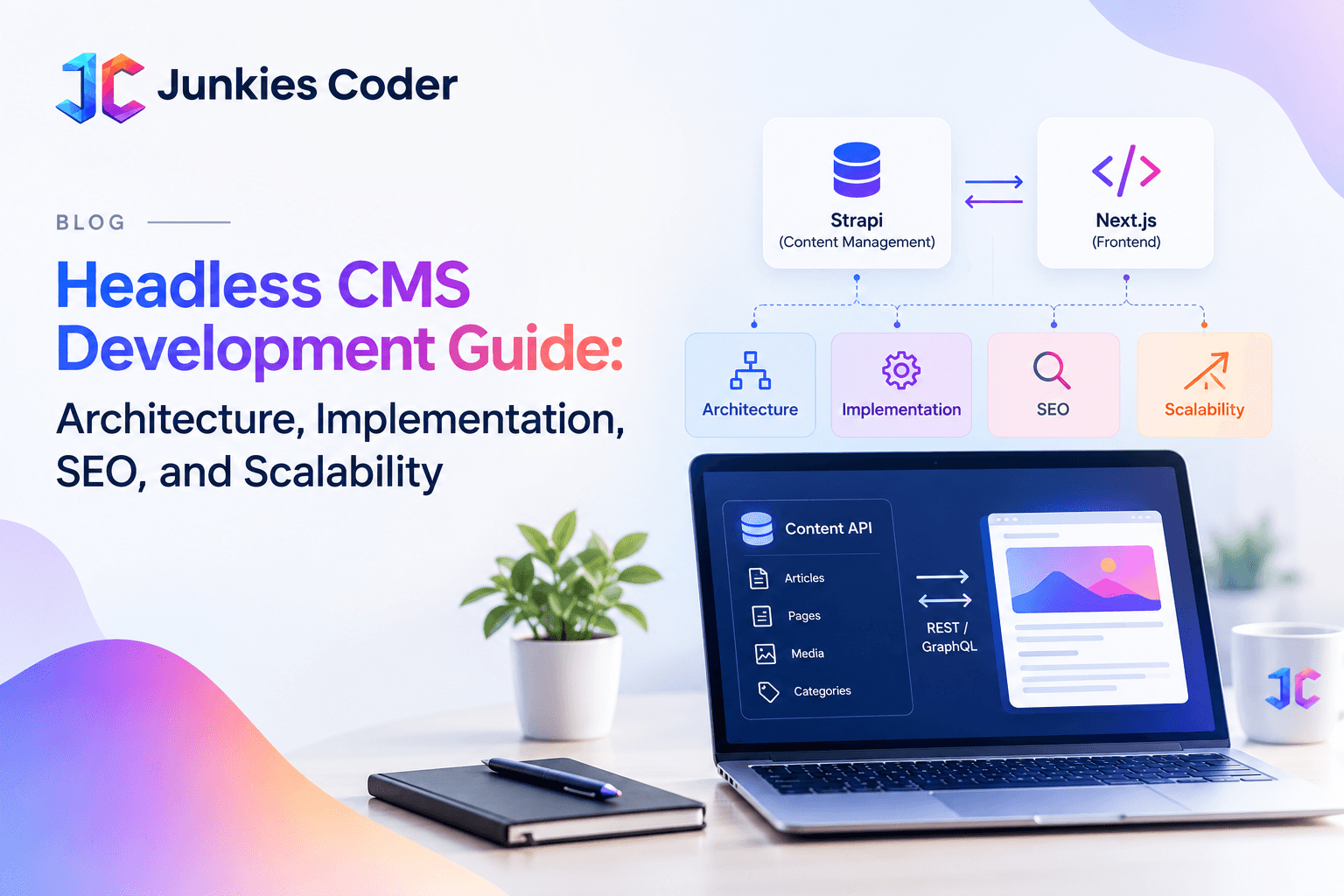
A Strapi + Next.js architecture offers one possible path forward. Strapi manages structured content, editorial workflows, localization, and APIs, while Next.js delivers customizable website experiences with control over rendering, metadata, and performance.
The goal is not simply to replace WordPress. It is to build a content system that allows global teams to reuse core information, adapt it for local markets, protect organic search visibility, and publish across multiple channels without duplicating work.
This guide explains how to assess an existing WordPress environment, decide what to migrate or rebuild, design a global-local content model, protect SEO during cutover, and plan a phased migration with measurable business outcomes.
The key question is not just how to migrate WordPress safely. It is how to make content easier to manage, reuse, localize, and scale after migration.
When Should a Business Migrate From WordPress to Strapi + Next.js?
Not every WordPress website needs a headless architecture. The decision should depend on content complexity, publishing workflows, integration requirements, and future growth plans, not simply on the age of the CMS.
A WordPress-to-Strapi migration may be worth evaluating when:
- Regional publishing has become difficult to manage. Teams duplicate pages for every country instead of reusing approved global content.
- Content needs to serve multiple channels. The same information must power a website, customer portal, mobile application, or partner platform.
- Publishing depends too heavily on developers. Marketing teams cannot safely create or update landing pages without engineering support.
- Plugin and custom-code dependencies are increasing. Upgrades require extensive compatibility testing or create recurring security and maintenance concerns.
- The business needs stronger content governance. Multiple teams require role-based permissions, approval workflows, localized ownership, and consistent content standards.
- The front end needs greater flexibility. Product experiences require rendering strategies, integrations, or interface patterns that are difficult to maintain in the current WordPress theme.
However, WordPress may remain the better choice for a content-focused website with straightforward editorial workflows, limited integrations, and no immediate need for multi-channel delivery.
Decision rule: Migrate when the operational cost and limitations of the existing architecture outweigh the cost and complexity of introducing a new content platform. If the problem is primarily hosting performance, a hosting upgrade or WordPress optimization may be sufficient.
Why Hosting Migration Alone Is Not Enough
A hosting migration can improve speed, security, uptime, and infrastructure stability. It cannot solve the deeper problems created by years of page-based publishing, duplicated localization, plugin dependencies, and content trapped inside page builders.
WordPress migration is a business-critical operational project, not just a file transfer. It involves preserving content, user accounts, forms, search visibility, checkout flows, integrations, and day-to-day operations. However, simply moving the existing WordPress environment to new infrastructure does not address deeper challenges such as fragmented content, duplicated localization, plugin dependencies, and limited content reusability. For businesses pursuing multi-market growth, migration should go beyond infrastructure and focus on building a structured, scalable content architecture that supports localization, omnichannel delivery, and long-term digital growth.
A multi-market business needs more:
- One global content source with market-specific flexibility.
- Faster publishing without developer dependency.
- Reusable content across website, app, portal, and sales channels.
- Controlled localization instead of duplicated country pages.
- Strong SEO preservation during URL and platform changes.
- Reduced reliance on legacy PHP plugins and custom scripts.
- AI-ready content that search engines and AI systems can understand.
GoDaddy’s managed WordPress migration shows why infrastructure changes can create hidden risks: its platform move changes Apache to Nginx, affects custom .htaccess rules, may remove blocklisted plugins, and can create storage constraints. This proves that migration is not only about copying a site, it is about validating the entire operating environment.
The Real Migration Decision: Transfer, Rebuild, or Transform
Most articles compare migration versus rebuilding. Qrolic identifies that migration is faster and SEO-preserving, while rebuilding offers more flexibility and future readiness. The enterprise answer is not to choose one blindly. It is to decide which parts deserve preservation and which parts require redesign.
| Approach | What It Means | Best For | Main Limitation |
|---|---|---|---|
| Hosting migration | Move the same WordPress site to new infrastructure | Sites needing better speed, security, or hosting stability | Does not fix content or architecture problems |
| WordPress rebuild | Rebuild the site within WordPress | Teams satisfied with WordPress workflows but needing a new design | Still limits multi-channel content reuse |
| Content transformation | Restructure content, workflows, SEO, and delivery architecture | Businesses expanding across markets, products, or channels | Requires stronger planning and governance |
| Strapi + Next.js transformation | Use Strapi for structured content and Next.js for fast delivery | Enterprise, SaaS, product-led, and multi-market businesses | Requires development discipline and a migration blueprint |
Why Strapi + Next.js Is the Strongest Growth Architecture
Strapi: The Content Control Layer
Strapi allows teams to define content types, fields, relationships, roles, workflows, and APIs before designing pages. This is fundamentally different from a page-builder approach.
Instead of creating a “Services” page as one long block of text, teams define reusable content:
| Strapi Content Model | Reusable Across Markets |
|---|---|
| Service | Core offering, capabilities, industries, proof points, FAQs |
| Case study | Customer, industry, challenge, solution, measurable result |
| Solution page | Product capability, use case, integration, compliance note |
| Market profile | Country, language, regulations, local proof, local CTA |
| FAQ | Question, answer, related service, market applicability |
| Author or expert | Name, credentials, experience, review responsibility |
| Resource | Guide, whitepaper, webinar, downloadable asset |
This structure makes content reusable without making it generic. A global service description stays consistent, while each market adds local proof, pricing context, regulatory information, and conversion messaging.
Next.js: The Experience and Performance Layer
Next.js gives every market a fast, flexible, SEO-controlled front end. It supports server-side rendering, static generation, clean metadata control, hreflang implementation, structured data, component-based design systems, and API-driven integrations.
Google confirms that AI features such as AI Overviews and AI Mode rely on the same fundamentals as traditional Search: crawlability, internal links, useful textual content, good page experience, and structured data that matches visible content. A Strapi + Next.js architecture makes those fundamentals easier to govern at scale.
Why the Combination Wins
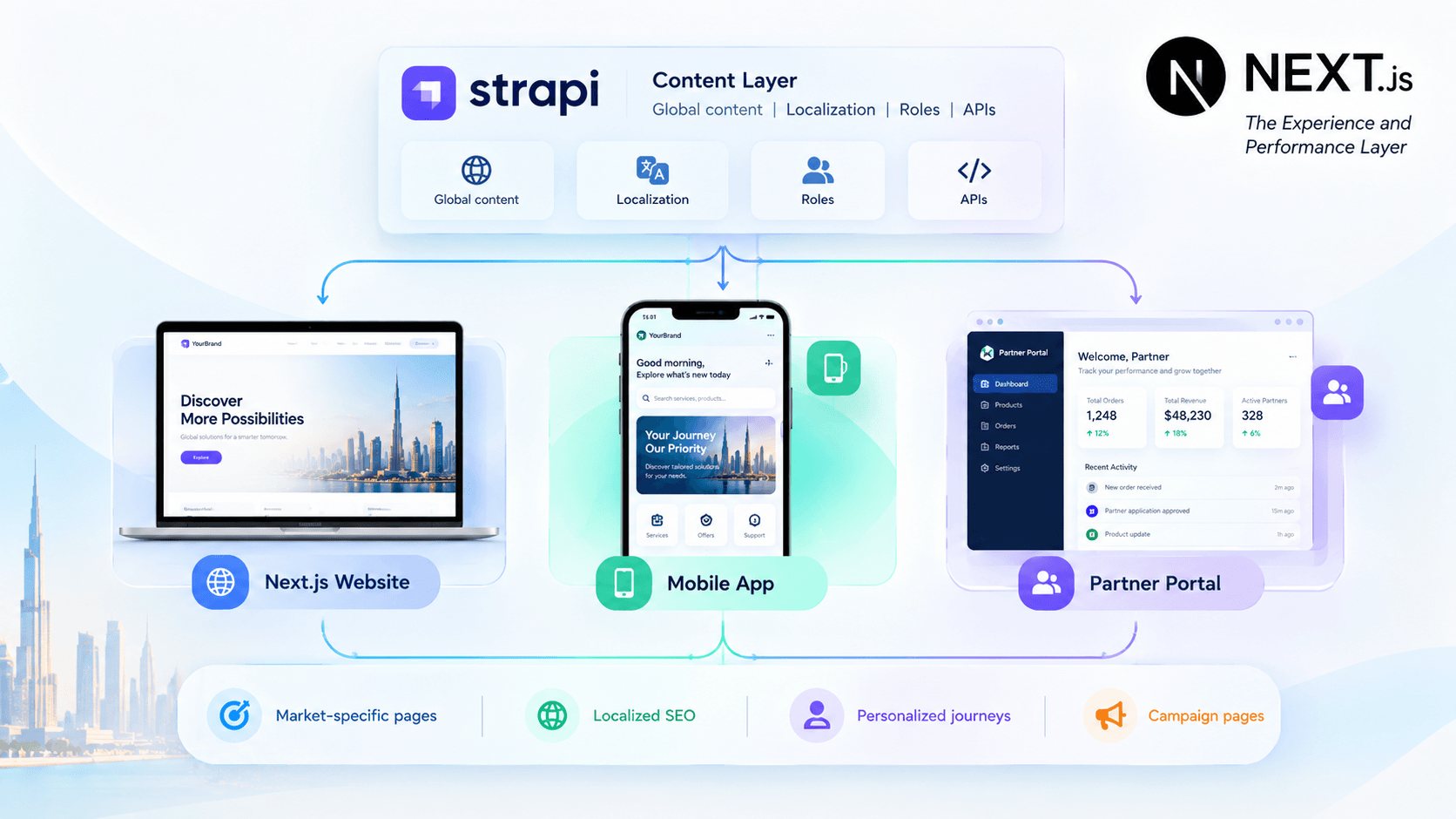
Editors manage content in Strapi. Developers manage experience, performance, and integrations in Next.js. Marketing can launch market-specific pages without rebuilding the entire website.
Strapi vs WordPress for Multi-Market Growth
The Strapi vs WordPress decision should be based on business architecture, not platform preference.
| Factor | WordPress | Strapi + Next.js |
|---|---|---|
| Editorial familiarity | Very high | Requires onboarding, but offers cleaner structured workflows |
| Content modeling | Possible through custom post types and fields | Native, API-first content modeling |
| Multi-channel delivery | Mostly website-first | Strong for web, app, portal, kiosk, and campaigns |
| Front-end performance | Depends on theme, plugins, caching, hosting | More control through Next.js rendering |
| Localization | Strong plugin ecosystem | Requires deliberate design, but gives more structural control |
| Plugin dependency | High | Lower front-end dependency |
| Security surface | Core, plugins, themes, users, hosting | CMS APIs, authentication, deployment, integrations |
| Best use case | Content-led websites and editorial teams | Product-led, enterprise, multi-market businesses |
Polylang supports multilingual WordPress through translated SEO content, hreflang, language-specific URLs, XLIFF workflows, and WooCommerce support. Weglot adds AI-assisted translation and multilingual SEO automation. These tools are valuable, but they optimize translation inside WordPress. They do not automatically create a reusable, API-first content model.
Strapi + Next.js is a strong option when content reuse, front-end flexibility, and multi-channel delivery are strategic priorities. However, it introduces additional engineering and operational responsibilities. Businesses should evaluate total cost of ownership, editorial independence, hosting requirements, and available development resources before selecting the architecture.
For teams whose needs are primarily editorial, a well-optimized WordPress implementation may deliver better value with less complexity.
The right choice depends on the business problem being solved. WordPress remains practical for conventional content-led websites, while Strapi + Next.js becomes more compelling when content must support multiple markets, digital products, and independently managed front-end experiences.
From Pages to Content Products
This is the biggest missing idea in most migration content. Traditional CMS migration copies pages. Modern CMS migration creates reusable content products.
| Legacy WordPress Approach | Strapi + Next.js Approach |
|---|---|
| One long service page | Structured service model with capabilities, industries, FAQs, and proof |
| Separate page for every market | Global content core plus localized market layer |
| Developer-built landing pages | Editor-controlled composable campaign pages |
| Content locked in page builders | API-ready content for web, app, portal, and sales tools |
| SEO handled after launch | Metadata, hreflang, schema, and internal links built into the content model |
| Manual publishing | Governed workflows with roles, previews, approvals, and audit trails |
A service becomes a structured product asset. A case study becomes reusable proof across markets. An FAQ becomes search, sales, and support content. A market profile becomes a localized growth layer. A campaign becomes a composable page, not a one-off template.
Example: Transforming a Multi-Market Website Into a Reusable Content Platform
Consider a hypothetical B2B software company operating in five countries and publishing content in three languages. Its WordPress setup contains separate service pages, regional landing pages, case studies, and FAQs. Each market maintains its own content, while developers handle recurring template changes and technical updates.
The migration team first audits the existing URLs, content relationships, integrations, and search performance. It then introduces a shared content model in Strapi.
A global service record stores approved product capabilities, core messaging, and reusable proof points. Market-specific records contain local terminology, regulatory information, customer examples, and calls to action. Next.js uses these records to render the appropriate market experience.
The migration also maps legacy URLs to their new destinations, validates localized equivalents, and tests forms and analytics before cutover.
This headless CMS development guide demonstrates how a structured content architecture can reduce duplicated content maintenance, maintain consistent messaging across markets, and establish clearer ownership of regional publishing. However, improvements in publishing speed and conversion rates should be measured after launch to evaluate the actual business impact.
Metrics to Track
- Time required to publish or update a market page.
- Percentage of content reused across markets.
- Number of manual developer interventions per release.
- Migration-related 404 errors and redirect issues.
- Organic clicks, impressions, and indexing trends.
- Form completion rates and qualified leads by market.
- Content approval time and localization turnaround.
The key lesson is that a successful migration should be measured by what the new platform enables the business to do, not simply by whether the new website launches successfully.
Note: This is a hypothetical example, not a verified client case study. Keep that distinction clear.
The Headless CMS Migration Blueprint
A successful headless CMS migration blueprint follows a sequence. Do not start by designing pages. Start by deciding what content means, who owns it, and how it will serve each market.
Phase 1: Content and Market Audit
Create a complete inventory of:
- High-traffic pages and conversion pages.
- Content types, categories, tags, and custom fields.
- Market-specific pages and language versions.
- Forms, lead sources, and conversion events.
- Integrations with CRM, ERP, marketing automation, analytics, and search.
- Legacy plugins, custom PHP scripts, and unsupported dependencies.
- Backlinks, rankings, and pages with historical SEO value.
Multi-Market Architecture Comparison
| Strategy | SEO Authority | Technical Complexity | Cost to Scale | Best Used For |
|---|---|---|---|---|
ccTLD (site.fr) |
Low initially; builds country-specific signals over time | High — multiple domains | High | Large enterprises with dedicated regional teams |
Subdomain (fr.site.com) |
Moderate — signals may be distributed across subdomains | Moderate — potentially separate installations | Moderate | Distinct regional business units or independent catalogs |
Subdirectory (site.com/fr/) |
High potential to consolidate signals under one domain | Low to moderate — centralized management or multisite | Low | Unified brands looking to strengthen their existing domain presence |
WordPress VIP recommends a similar enterprise foundation: content inventory, system review, dependency mapping, SEO analysis, and gap identification.
Phase 2: Define the Global-Local Content Model
Separate content into three layers:
| Layer | Purpose | Example |
|---|---|---|
| Global core | Facts that must remain consistent | Product capabilities, brand standards, service definitions |
| Regional layer | Market-specific business context | Pricing model, compliance, local case studies, local partners |
| Local layer | Language and cultural adaptation | Translated copy, local terminology, local CTAs, local FAQs |
This prevents the most common international SEO mistake: creating near-identical pages for every market without genuine local value.
Phase 3: Build Strapi Content Types
Map legacy WordPress content into structured Strapi models:
| WordPress Legacy Content | Strapi Content Model |
|---|---|
| Service page | Service + capability + industry + FAQ + proof point |
| Blog post | Article + author + topic + related resources |
| Landing page | Campaign + offer + audience + market + CTA |
| Location page | Market profile + office + local service + compliance note |
| Product page | Product + feature + use case + integration + support resource |
Phase 4: Build the Next.js Experience Layer
Design reusable components instead of one-off templates:
- Hero component
- Solution component
- Proof and case-study component
- FAQ component
- Comparison table component
- Market selector component
- Localized CTA component
- Schema-ready article component
This allows editors to assemble pages from approved components while developers retain performance and accessibility control.
Phase 5: Protect SEO During Cutover
Migration SEO must be planned before launch, not repaired afterward. Google recommends a URL map from old URLs to new destinations, server-side permanent redirects, updated internal links, self-referencing canonical tags, updated hreflang annotations, and clean sitemaps.
| SEO Control | Strapi + Next.js Implementation |
|---|---|
| URL mapping | Document every important legacy URL and its new destination |
| Redirects | Use direct 301 or 308 redirects at the server or edge layer |
| Canonical tags | Generate self-referencing canonicals in Next.js metadata |
| Hreflang | Connect equivalent language and market versions |
| Internal links | Update navigation, body links, breadcrumbs, and related-content modules |
| Sitemaps | Generate market-specific and language-specific XML sitemaps |
| Structured data | Keep schema aligned with visible Strapi content |
| Search Console | Monitor indexing, crawl errors, redirects, and query performance |
Google also advises keeping redirects in place for as long as possible, generally at least one year, while updating internal and external links to the new URLs.
Important SEO Considerations During Migration
Redirects alone do not guarantee SEO preservation. Content relevance, internal linking, crawlability, rendering, canonicalization, and server reliability also influence how search engines process a migrated website.
- Redirect mapping: Map each valuable legacy URL to its closest relevant destination. Avoid redirecting unrelated pages to the homepage simply to eliminate 404 errors.
- Permanent redirects: Use 301 or 308 redirects where appropriate, based on the implementation and HTTP method requirements. Avoid unnecessary redirect chains and loops.
- Canonicalization: Define canonical rules for each page type, including filtered URLs and localized variants. Generate canonical tags according to the intended indexing strategy rather than applying a universal rule without validation.
- International SEO: Validate hreflang language-region codes, reciprocal references, and equivalent localized URLs. Ensure each market has a clear URL and indexing strategy.
- Structured data: Generate schema from structured content where appropriate, and verify that the markup matches the information visible to users.
- XML sitemaps: Include canonical, indexable URLs and organize sitemaps according to the site's size and architecture.
- Internal links: Update navigation, breadcrumbs, contextual links, and related-content modules to point directly to final destination URLs.
- Post-launch monitoring: Track indexing, crawl errors, organic traffic, conversions, and redirect behavior closely during the first 30 days, then continue monitoring according to performance trends.
Google recommends maintaining redirects for as long as possible, generally at least one year for a site move, while updating internal links and other references to the new URLs.
Before launch, establish baseline organic performance and define escalation criteria for traffic losses, indexing problems, broken functionality, and conversion declines. This makes it easier to distinguish expected fluctuations from migration issues that require immediate action.
Localization: More Than Translation
Translation is not localization. A translated page can still fail if it ignores local buyer behavior, regulations, terminology, proof, and search intent.
| Level | Capability | Business Impact |
|---|---|---|
| Level 1: Translation | Pages are translated | Basic accessibility for new markets |
| Level 2: SEO localization | Hreflang, translated metadata, local URLs | Better international search visibility |
| Level 3: Content localization | Local proof, terminology, offers, and FAQs | Higher relevance and conversion |
| Level 4: Workflow localization | Local editors can create and approve content | Faster market execution |
| Level 5: Channel localization | Content powers web, app, sales, and support experiences | Consistent multi-market brand experience |
The Hreflang Manager plugin supports hreflang implementation across WordPress sites and multisite networks, includes a tag inspector, and supports languages, scripts, and countries through ISO standards. In a Strapi + Next.js model, hreflang should be generated from the content model itself, not managed manually page by page. wordpress
AI translation can accelerate drafts, but human market owners should still approve terminology, compliance language, pricing claims, and local proof.
PHP, Laravel, and Legacy Modernization
Many WordPress migrations uncover a bigger issue: the website is only one part of a legacy PHP environment. Custom scripts, old plugins, customer portals, data sync jobs, and internal tools may share the same fragile infrastructure.
This is where PHP application migration, PHP upgrade services, and legacy PHP application modernization become part of the CMS strategy.
Signs Legacy PHP Is Limiting Growth
- The site cannot upgrade PHP because plugins or custom code will break.
- Security fixes are handled reactively.
- Content publishing depends on undocumented custom code.
- Customer data is moved through manual scripts.
- Regional sites require repeated developer work.
- APIs, forms, authentication, or integrations lack proper monitoring.
- The business cannot separate marketing content from product logic.
PHP version incompatibility is a common WordPress migration risk. Differences between PHP versions can cause application errors, broken admin screens, plugin failures, and unexpected downtime. Therefore, PHP compatibility, plugin dependencies, and custom code should be assessed and tested before migration to ensure a stable transition and reduce the risk of post-launch issues.
A PHP migration should include dependency assessment, code review, data mapping, integration testing, security hardening, performance validation, and rollback planning. The real PHP migration cost is driven less by page count and more by custom integrations, data complexity, code quality, test coverage, and acceptable downtime.
For businesses with complex workflows, Laravel migration services can provide a more structured application layer. A Laravel platform can manage authentication, permissions, APIs, business rules, and integrations, while Strapi manages editorial content and Next.js delivers the customer experience.
A proper Laravel migration includes application assessment, architecture decisions, data mapping, Laravel database migration, API validation, security testing, and deployment automation. Teams should also assess Laravel security vulnerabilities, dependency versions, authentication flows, file upload controls, API permissions, and environment configuration.
What Determines WordPress, PHP, and Headless CMS Migration Cost?
The cost of a CMS migration depends on much more than the number of website pages. Two websites with similar page counts can require very different levels of effort because of differences in content quality, custom functionality, integrations, localization, and testing requirements.
The main cost drivers include:
- Content volume and complexity: The number of URLs, custom fields, media assets, taxonomies, and relationships that need to be migrated.
- Content transformation: Whether existing pages can be imported directly or must be redesigned as structured Strapi content types.
- Front-end development: The number of reusable Next.js components, templates, interactive features, and accessibility requirements.
- Localization: The number of markets, languages, market-specific content rules, and approval workflows.
- Integrations: CRM, ERP, authentication, forms, search, analytics, e-commerce, and third-party APIs.
- Legacy PHP modernization: Unsupported dependencies, custom scripts, database constraints, and compatibility issues.
- SEO preservation: URL mapping, redirects, metadata, hreflang, structured data, and post-launch monitoring.
- Quality assurance and deployment: Automated testing, market-specific validation, staging environments, rollback planning, and team training.
How to Estimate Migration Effort
A useful starting point is to estimate each workstream separately.
| Workstream | Estimation Inputs |
|---|---|
| Discovery and audit | Site complexity, integrations, dependencies |
| Content migration | Content types, records, media, transformation rules |
| Strapi implementation | Models, permissions, localization, workflows |
| Next.js development | Templates, components, interactions, performance requirements |
| SEO migration | URL count, redirect complexity, international SEO |
| PHP or Laravel work | Code quality, database changes, security, integrations |
| QA and launch | Test coverage, markets, downtime tolerance |
A reliable estimate should follow a technical discovery phase and include assumptions, exclusions, contingency, and post-launch support. Avoid estimating an enterprise migration solely from page count or applying a fixed price to every WordPress-to-Strapi project.
For PHP application migration and Laravel modernization, additional costs may arise from legacy dependency upgrades, database restructuring, authentication changes, security remediation, and integration testing. These factors should be assessed separately from content migration wherever possible.
Zero-Downtime Migration and Parallel Validation
Enterprise teams cannot afford a launch-day surprise. A zero-downtime approach uses parallel environments and controlled validation.
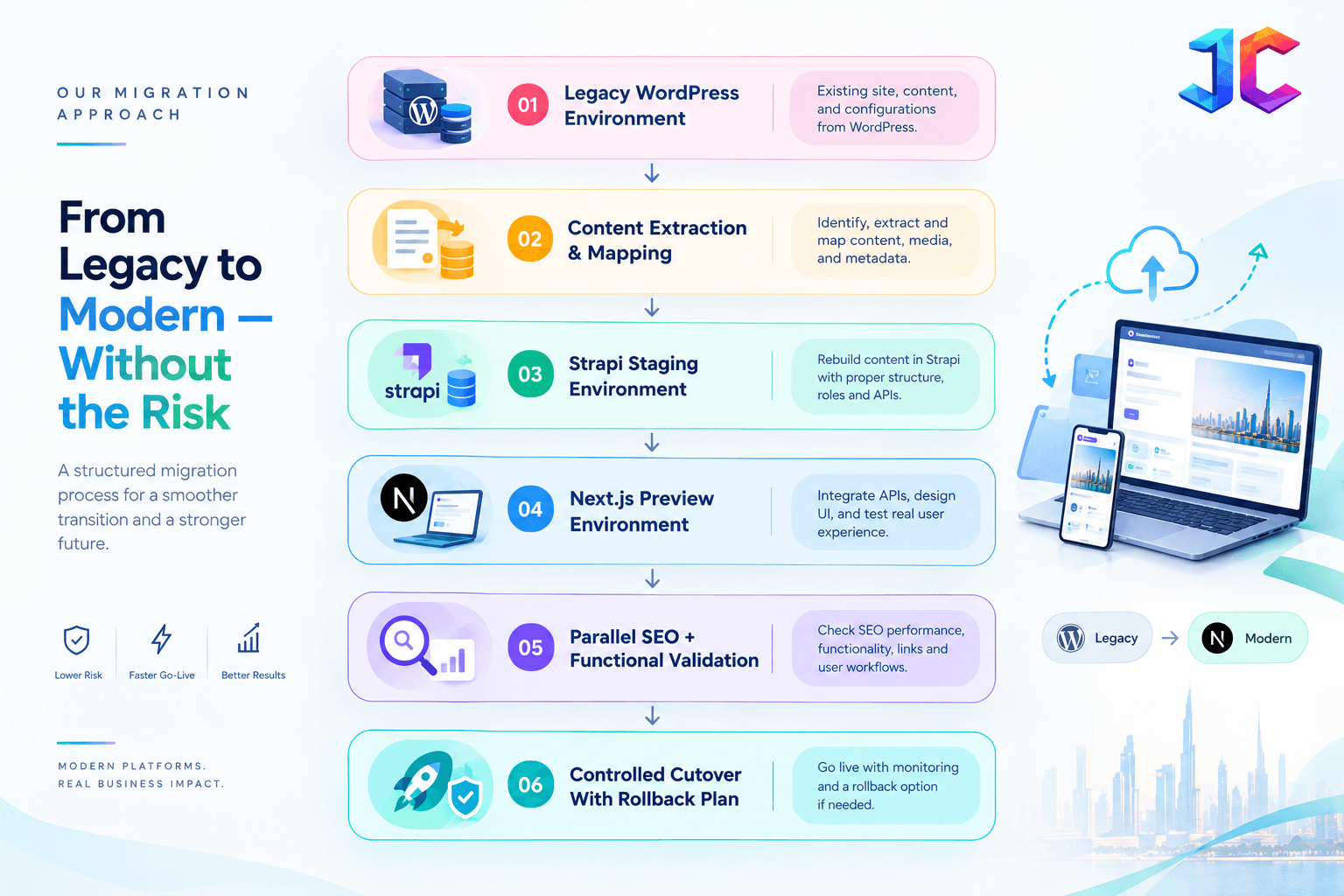
A reliable migration process should include a complete backup, verified restoration, staging environment validation, a planned content freeze, stakeholder approvals, environment configuration checks, a rollback strategy, and clearly assigned testing responsibilities. For a Strapi + Next.js migration, these safeguards should be extended to include parallel content validation, API and integration testing, market-specific localization checks, and SEO verification before the final cutover.
Cutover Checklist
- Freeze non-critical content changes.
- Run a final delta sync for recently updated content.
- Validate redirects, canonicals, hreflang, sitemaps, and schema.
- Test forms, authentication, search, checkout, and CRM integrations.
- Test each market and language version with role-based accounts.
- Monitor crawl errors, indexing, conversions, and performance for 30 days.
- Keep a documented rollback threshold and owner.
AEO and GEO: Make Expertise Machine-Readable
AEO and GEO should be treated as extensions of a strong search and content strategy, not as separate technical shortcuts. A structured CMS can help teams maintain consistent facts, clear authorship, useful supporting resources, and market-specific expertise. However, visibility in AI-generated answers is not guaranteed by a particular CMS, schema implementation, or content format.
The practical objective of a headless CMS development company is to build a structured content architecture that helps businesses publish original, accurate, and accessible content that search engines and AI-powered discovery systems can crawl, interpret, and evaluate. Measure progress through organic search performance, qualified referral traffic, branded discovery, and the visibility of important service pages and expert content.
Answer Engine Optimization (AEO) and Generative Engine Optimization (GEO) are not about hidden AI files or shortcuts. They are about making genuinely useful expertise easy to understand, retrieve, and trust.
Google states that there are no special technical requirements to appear in AI Overviews or AI Mode beyond being indexed and eligible in Search. The same fundamentals apply: crawlability, internal links, useful text, page experience, and structured data aligned with visible content.
AEO/GEO Content Rules for Strapi + Next.js
- Open each major section with a direct answer.
- Use headings based on real customer and buyer questions.
- Add original frameworks, decision tables, implementation steps, and market-specific examples.
- Show authorship, review dates, and editorial accountability.
- Include first-hand experience, project lessons, and technical detail.
- Keep important information in readable text, not only images or accordions.
- Link related service pages, guides, and case studies naturally.
- Ensure schema matches what users can actually see on the page.
Yoast now positions SEO around AI-driven discovery, offering AI-powered SEO suggestions, schema aggregation, internal linking, redirect automation, and an llms.txt file to help AI systems understand site content. This confirms the market direction: SEO is expanding from rankings toward machine-understandable brand and content visibility.
Edge, Security, and Global Delivery
For multi-market businesses, the CMS is only one layer. Global delivery also needs CDN caching, DDoS protection, WAF rules, bot management, SSL, and identity-aware access.
Cloudflare positions its platform as a global network for applications, security, and AI-era workloads, offering CDN, DDoS mitigation, WAF, bot management, Zero Trust controls, and edge compute across 335+ cities. In a Strapi + Next.js architecture, this layer protects both the content APIs and the customer-facing experience.
| Layer | Responsibility |
|---|---|
| Strapi | Content structure, roles, localization, APIs |
| Next.js | Rendering, UX, metadata, performance |
| Laravel | Custom workflows, business logic, secure integrations |
| Cloudflare or equivalent edge layer | CDN, WAF, DDoS protection, bot control, global delivery |
| Analytics and Search Console | Measurement, indexing, conversion, and SEO monitoring |
90-Day Strapi + Next.js Migration Plan
| Phase | Focus | Deliverables | Success Signal |
|---|---|---|---|
| Days 1–30 | Discovery and architecture | Content inventory, URL map, market model, Strapi content types, technical audit | Approved content and migration rules |
| Days 31–60 | Build and migrate | Strapi models, Next.js components, localization workflow, integrations, redirects, staging QA | Editors can create and preview real pages |
| Days 61–90 | Launch and optimize | Staged cutover, redirect validation, SEO monitoring, performance checks, training | Stable indexing, faster publishing, measurable leads |
For large sites, Google recommends splitting the move into smaller sections when technically possible and changing one major thing at a time, such as domain, CMS, or layout.
Enterprise Migration Checklist
- Every high-value URL has a keep, merge, rebuild, or retire decision
- Global, regional, and local content layers are defined
- Strapi content models are approved before Next.js templates
- Localization roles, approval steps, and translation workflows are documented
- Legacy PHP dependencies and integrations are audited
- Laravel or custom PHP security risks are assessed
- Old-to-new URL mapping is complete
- Direct 301 or 308 redirects are configured
- Canonical, hreflang, sitemap, robots, and schema checks pass
- Internal links point to final URLs, not redirect chains
- Forms, authentication, search, checkout, and CRM integrations are tested
- Search Console, analytics, and conversion events are validated
- Rollback criteria and post-launch monitoring owners are assigned
FAQs
Why is Strapi + Next.js better than WordPress for multi-market growth?
Strapi + Next.js separates structured content management from front-end delivery. This makes it easier to reuse content across markets, websites, apps, and portals while maintaining performance, SEO control, and consistent governance.
Can we migrate from WordPress to Strapi without losing SEO?
Yes, if the migration includes a complete URL map, relevant permanent redirects, updated canonicals and hreflang annotations, clean sitemaps, updated internal links, and post-launch monitoring. Google specifically recommends these controls for site moves with URL changes.
Is WordPress migration still necessary if we move to Strapi?
Yes. WordPress content, media, metadata, URLs, user data, forms, and integrations must still be extracted, cleaned, mapped, and validated before they enter Strapi.
What is the difference between a headless CMS migration and a hosting migration?
A hosting migration moves the same WordPress site to new infrastructure. A headless CMS migration rebuilds content into structured models, separates content from presentation, and enables delivery through APIs to multiple front ends.
Should we use AI translation during migration?
AI translation is useful for first drafts and scaling multilingual content, but human market owners should review terminology, compliance language, local proof, and conversion messaging. Weglot and Polylang both support translation workflows, but localization quality still requires governance.
How long does a WordPress-to-Strapi migration take?
A simple marketing site may take weeks. A multi-market enterprise platform with localization, integrations, custom PHP, and complex content models often takes several months. The timeline depends on content volume, integrations, data quality, and the level of front-end redesign.
Do we need a Laravel application if we choose Strapi + Next.js?
Not always. Use Laravel when the business needs custom workflows, secure APIs, complex permissions, or integrations beyond what the CMS should manage. Otherwise, Strapi and Next.js may be sufficient.
Is a plugin-based migration enough for enterprise websites?
Sometimes, for simple WordPress-to-WordPress moves. But plugin-only migration becomes risky for membership platforms, WooCommerce stores, custom tables, serialized data, large media libraries, and complex role-based access. UPQODE notes that WP-CLI and controlled manual methods are often safer for data-heavy environments.
What Should We Migrate From WordPress to Strapi?
The migration scope may include page content, custom post types, fields, taxonomies, media, authors, metadata, and relevant relationships. Forms, user accounts, e-commerce data, and integrations need separate assessment because they may require dedicated migration or replacement strategies.
Can Strapi and Next.js Support Multiple Countries and Languages?
Yes. Strapi can manage localized content and market-specific relationships, while Next.js can deliver localized routes and metadata. The implementation must define language fallbacks, market ownership, URL conventions, hreflang relationships, and approval workflows before content migration begins.
How Do We Measure the Success of a Headless CMS Migration?
Measure technical stability, organic search performance, conversion rates, publishing speed, localization turnaround, content reuse, and ongoing maintenance effort. Establish baseline measurements before migration so the team can compare post-launch performance against the previous platform.
Planning a WordPress-to-Strapi Migration?
A successful migration starts with understanding your existing content, integrations, SEO requirements, and long-term growth goals. Before selecting a new architecture, assess what should be preserved, restructured, or rebuilt.
Explore our CMS migration services to plan a structured migration strategy that aligns content architecture, localization, SEO preservation, and front-end modernization with your business objectives.
Final Perspective
WordPress migration is no longer only a hosting project. For businesses pursuing multi-market growth, it is a chance to replace fragmented pages, duplicated localization work, plugin dependencies, and developer bottlenecks with a scalable content platform.
A Strapi + Next.js architecture gives organizations the best of both worlds: structured content governance in Strapi and fast, flexible, SEO-controlled experiences in Next.js. When combined with disciplined PHP modernization, Laravel migration where needed, edge security, and a rigorous SEO preservation plan, it becomes a durable foundation for global digital growth.
The future belongs to businesses that stop treating content as pages and start treating it as reusable, governed, multi-market content products.