- Zero-Loss Migration Thesis: A website migration must be managed as an SEO and equity preservation protocol, not simply a frontend redesign or a server migration.
- 1-to-1 Redirect Requirement: Every legacy URL with search impressions, inbound backlinks, or conversion history must map to an equivalent destination. Mass-redirecting legacy URLs to a homepage triggers Google soft 404 penalties.
- Master URL Inventory: Audit your URL ecosystem by aggregating data across Screaming Frog crawls, Google Search Console index coverage, Google Analytics 4 landing pages, and third-party backlink indexes.
- Status Code Discipline: Apply HTTP 301 for permanent editorial routing and HTTP 308 for API or form endpoints that require method and payload preservation.
- Edge-Layer Execution: Deploy redirect maps at the CDN or edge proxy layer, such as Cloudflare Workers or AWS CloudFront, to avoid server origin overhead and keep Time to First Byte under 100 milliseconds.
- Accelerated Discovery: Keep the legacy XML sitemap submitted in Google Search Console alongside the new sitemap to expedite Googlebot redirect processing by up to three times.
- Full QA Governance: Enforce pre-launch staging verification, cutover DNS validation, and thirty-day post-launch server log analysis.
Quick Answer
How do you migrate a website without losing URLs or organic traffic? A successful website migration requires a complete legacy URL inventory, a verified 1-to-1 redirect mapping strategy, content and metadata parity, and proper HTTP response handling before the new architecture goes live. When migrating from legacy PHP to Strapi and Next.js, teams must also preserve existing permalink structures, database relationships, canonical tags, structured data, and server-side rendering behaviour. If PHP vulnerabilities are present, follow a patch-first approach: secure the existing application, assess technical debt, and then determine whether modernising the platform is the right long-term decision. This ensures security improvements and architectural changes do not compromise established SEO equity or organic visibility.
A zero-loss website migration from PHP to Strapi + Next.js is not a visual redesign or a simple database import; it is an equity preservation protocol where every legacy PHP URL, keyword ranking, URL path, canonical relationship, metadata element, and server response code is systematically reconciled before search engine crawlers encounter the modified domain or architecture. A successful PHP to Strapi and Next.js migration blueprint ensures SEO equity, organic traffic, content integrity, URL consistency, and technical SEO signals are preserved throughout the migration.
When teams treat website migrations as simple design updates, they routinely suffer thirty to fifty percent organic visibility drops. Preserving search performance requires engineering discipline, automated verification, and strict operational checkpoints across every phase of the transition.
The Mechanics of Migration SEO: Why Websites Lose Organic Traffic
Search engines spend months and years building a knowledge graph of your domain. Every indexed URL holds specific signals: historical PageRank, user engagement metrics, contextual relevance, anchor text associations, and canonical standing.
When a URL changes without a corresponding instruction, search crawlers encounter HTTP 404 or 410 errors. Within several crawl cycles, search algorithms purge the missing URL from the primary index. Even when pages are recreated on new URLs, search engines view them as entirely new entities unless an explicit bridge exists.
According to research from BrightEdge and Search Engine Land, unmanaged enterprise migrations cause an average organic traffic loss between twenty and forty percent. In more than sixty-five percent of these incidents, the root causes are missing 1-to-1 redirects, canonical tag misalignments, or infinite crawl loops.
Search engines allocate a finite crawl budget to every domain. During a migration, Googlebot must simultaneously crawl legacy URLs to discover redirects, index new target URLs, and re-evaluate canonical relationships. If your architecture introduces redirect chains or high response latency, crawler efficiency deteriorates, delaying indexation and causing prolonged ranking fluctuations.
The Five Migration Classes and Their SEO Risk Profiles
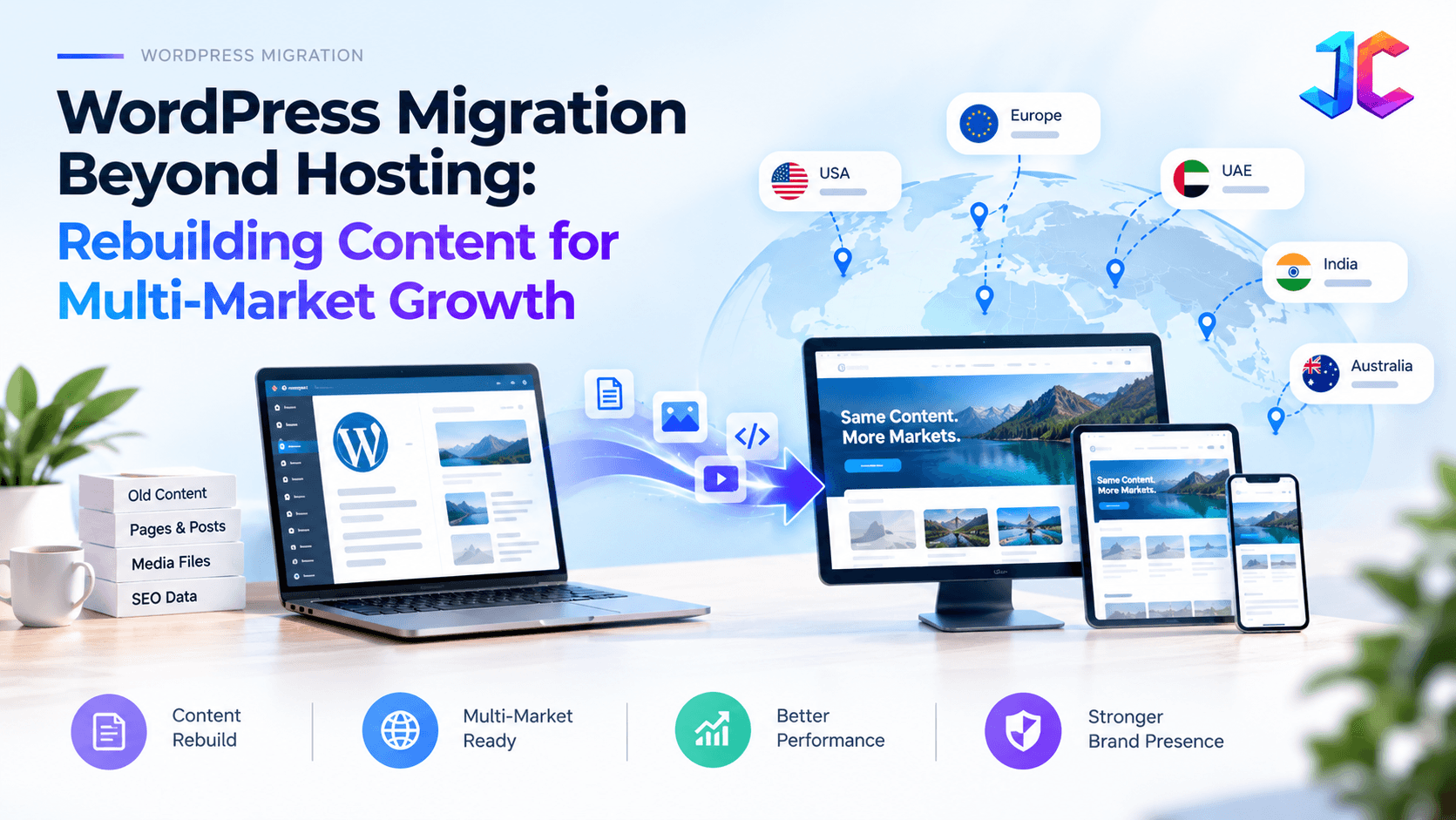
Every migration presents distinct engineering and SEO challenges. Understanding the exact risk profile of your project helps determine the right validation safeguards. This is also Why WordPress Migration Is Now a Content Strategy Decision, because moving platforms is not just a technical change; it directly impacts content structure, search visibility, and long-term digital growth.
| Migration Type | Structural Risk Level | Crawl Budget Impact | Recovery Timeline | Primary Failure Mode |
|---|---|---|---|---|
| Protocol Migration (HTTP to HTTPS) | Low | Minimal | 1 to 2 weeks | Mixed content warnings and incomplete HTTP redirection |
| Subdomain to Subdirectory | Medium | Moderate | 2 to 4 weeks | Subdomain DNS misconfiguration and fragmented analytics tracking |
| CMS Replatforming (Monolith to Headless) | High | Severe | 4 to 8 weeks | Altered URL structures, dropped schema markup, and JavaScript rendering delays |
| Domain Rebrand (Host A to Host B) | Extreme | Critical | 6 to 12 weeks | Failed 301 pass-through, missing GSC Change of Address, and brand confusion |
| Information Architecture Overhaul | High | Severe | 4 to 8 weeks | Keyword cannibalization, diluted internal linking, and broken hierarchy |
When migrating from monolithic platforms to modern architectures, such as CMS migration services from legacy PHP to modern stacks, the risk multiplies because URL routing, rendering logic, and database schemas change simultaneously. Exploring a dedicated PHP to Strapi and Next.js migration blueprint helps engineering teams isolate content modeling from URL routing.
Phase 1: Pre-Migration Audit and Master URL Inventory
A migration plan is only as complete as its initial audit. Never rely on a single crawler or an export from your current CMS admin panel to compile your URL list. Monolithic systems routinely generate hidden taxonomy paths, orphaned tag archives, and historical landing pages that standard menu navigations do not expose.
To build an uncompromised master inventory, aggregate URL data from four separate data sources:
- Active Site Crawl: Run Screaming Frog SEO Spider or Sitebulb with crawl depth set to infinite, checking images, stylesheets, JavaScript files, and PDF documents.
- Google Search Console: Export all URLs from the Pages report and Performance report covering the prior sixteen months. This ensures seasonal pages and historically performing URLs are preserved.
- Google Analytics 4: Extract all landing page paths that generated at least one organic session over the preceding twelve to twenty-four months.
- Backlink Intelligence: Pull target URLs from external backlink indexes such as Ahrefs, Moz, or Semrush. Any URL holding an active inbound link from a high-authority referring domain must be prioritized.
Combine these data sets into a unified spreadsheet and deduplicate the list. Next, identify legacy URL variations that can create crawl traps:
- Trailing slashes versus non-trailing slashes (for example, /services/ versus /services)
- Case-sensitive paths (for example, /About-Us versus /about-us)
- Parameterized URLs (for example, ?ref=, ?p=, or ?category=)
- Legacy document paths (for example, /wp-content/uploads/ or /assets/whitepapers/)
Phase 2: The Master Redirect Map Framework
The redirect map is the core operational document of your migration. It translates the legacy URL ecosystem into the target website structure.
A common pitfall is relying on wildcard regular expressions or redirecting legacy pages to top-level category pages or the homepage. Google algorithms explicitly treat generic redirects as soft 404 errors. If a legacy article discussing database optimization is redirected to a general home page, Google invalidates the redirect, discards the historical equity, and deindexes the keyword rankings.
Every URL with organic traffic or external backlinks requires a direct 1-to-1 match.
Master Redirect Map Spreadsheet Blueprint
| Source URL (Legacy Path) | Target URL (New Canonical Path) | HTTP Code | Traffic Tier | Organic Clicks (12 Mo) | Inbound Backlinks | Content Parity | QA Status |
|---|---|---|---|---|---|---|---|
| /services/custom-software | /services/custom-software-development-services | 301 | Tier 1 | 14,250 | 84 | Exact match | Verified |
| /blog/strapi-v4-guide/ | /blog/strapi-complete-guide-web-development | 301 | Tier 1 | 8,910 | 42 | Updated guide | Verified |
| /contact | /contact-us | 301 | Tier 2 | 3,120 | 12 | Exact match | Verified |
| /whitepapers/cloud-2024.pdf | /resources/cloud-modernization-guide.pdf | 301 | Tier 2 | 950 | 38 | Asset match | Verified |
| /old-category/temp-post-01 | /services/cms-migration-services | 301 | Tier 3 | 45 | 1 | Consolidated | Verified |
| /api/v1/inbound-webhook | /api/v2/inbound-webhook | 308 | Tier 1 | 0 (API) | 0 | Method preserved | Verified |
Priority Tier Classification
- Tier 1 (Critical): URLs responsible for the top eighty percent of organic traffic, conversions, or top-tier backlinks. These URLs require manual 1-to-1 content matching and post-launch daily ranking tracking.
- Tier 2 (Important): Secondary service pages, standard blog posts, active author bios, and high-value downloadable assets.
- Tier 3 (Standard): Low-traffic archives, legacy category listings, and consolidated pages. These can be mapped to parent topic hubs where direct matches do not exist.
Phase 3: Technical Execution of 301 and 308 Redirects
Executing redirects in the wrong infrastructure layer causes severe performance bottlenecks. When a server processes thousands of rewrite rules sequentially within configuration files, Time to First Byte degrades across every request.
Where to Implement Your Redirect Rules
| Execution Layer | Latency (TTFB Impact) | Operational Scalability | Best Used For |
|---|---|---|---|
| Edge / CDN Layer (Cloudflare Workers, CloudFront) | 5ms to 20ms | Unlimited scale, global edge caching | Enterprise sites, domain migrations, multi-thousand rule sets |
| Web Server Layer (Nginx map files, Apache) | 25ms to 60ms | Moderate, requires server restarts | Server-hosted monolithic environments, static redirects |
| Application Layer (Next.js middleware, PHP scripts) | 70ms to 200ms+ | Limited, consumes application server memory | Dynamic routing logic, user-session-dependent redirects |
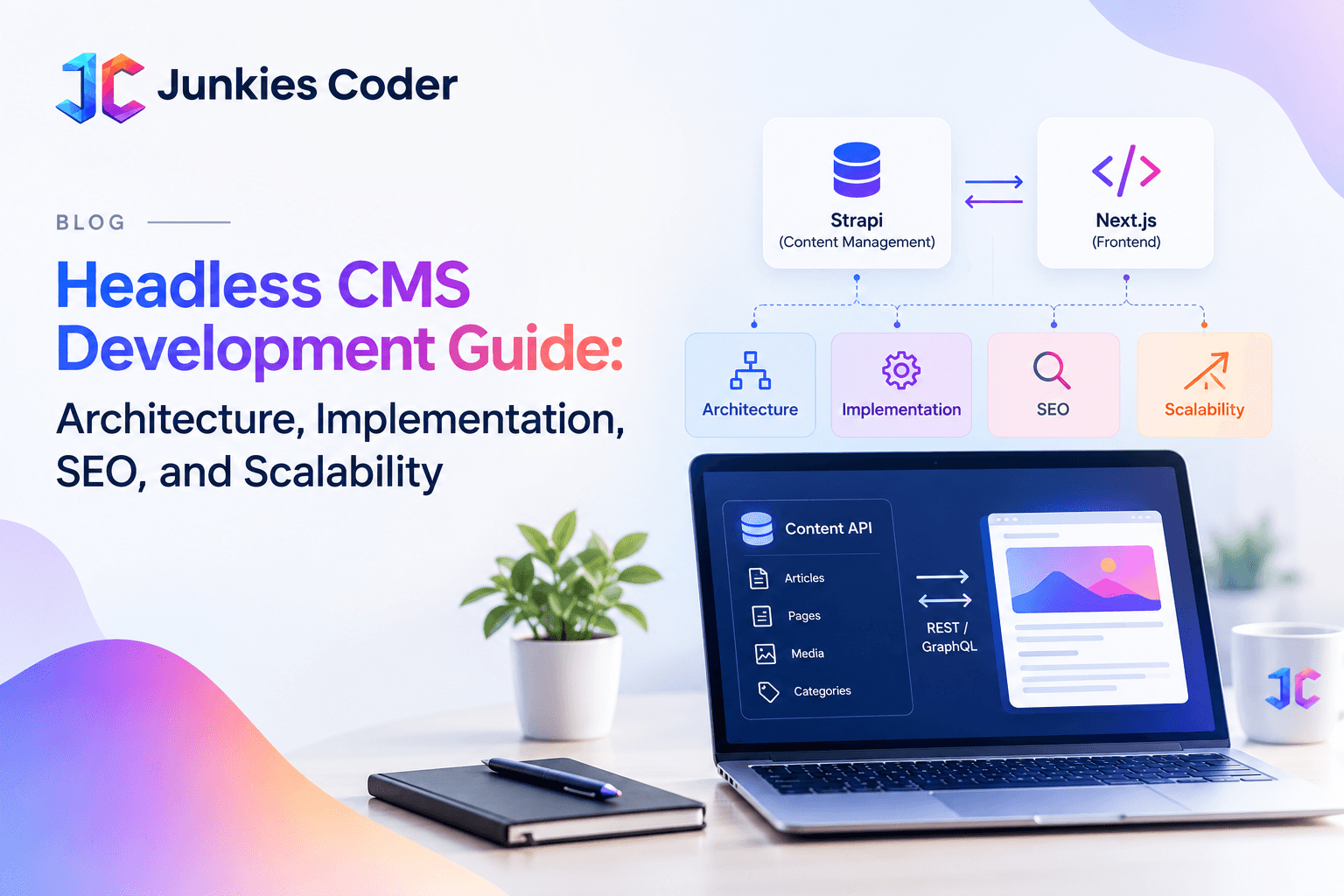
For high-performance headless builds using modern frameworks, edge redirection is the gold standard. When pairing a decoupled frontend with a structured backend, as outlined in our headless CMS development guide, routing redirects at the edge prevents unnecessary compute consumption on application servers.
Preventing Redirect Chains and Hops
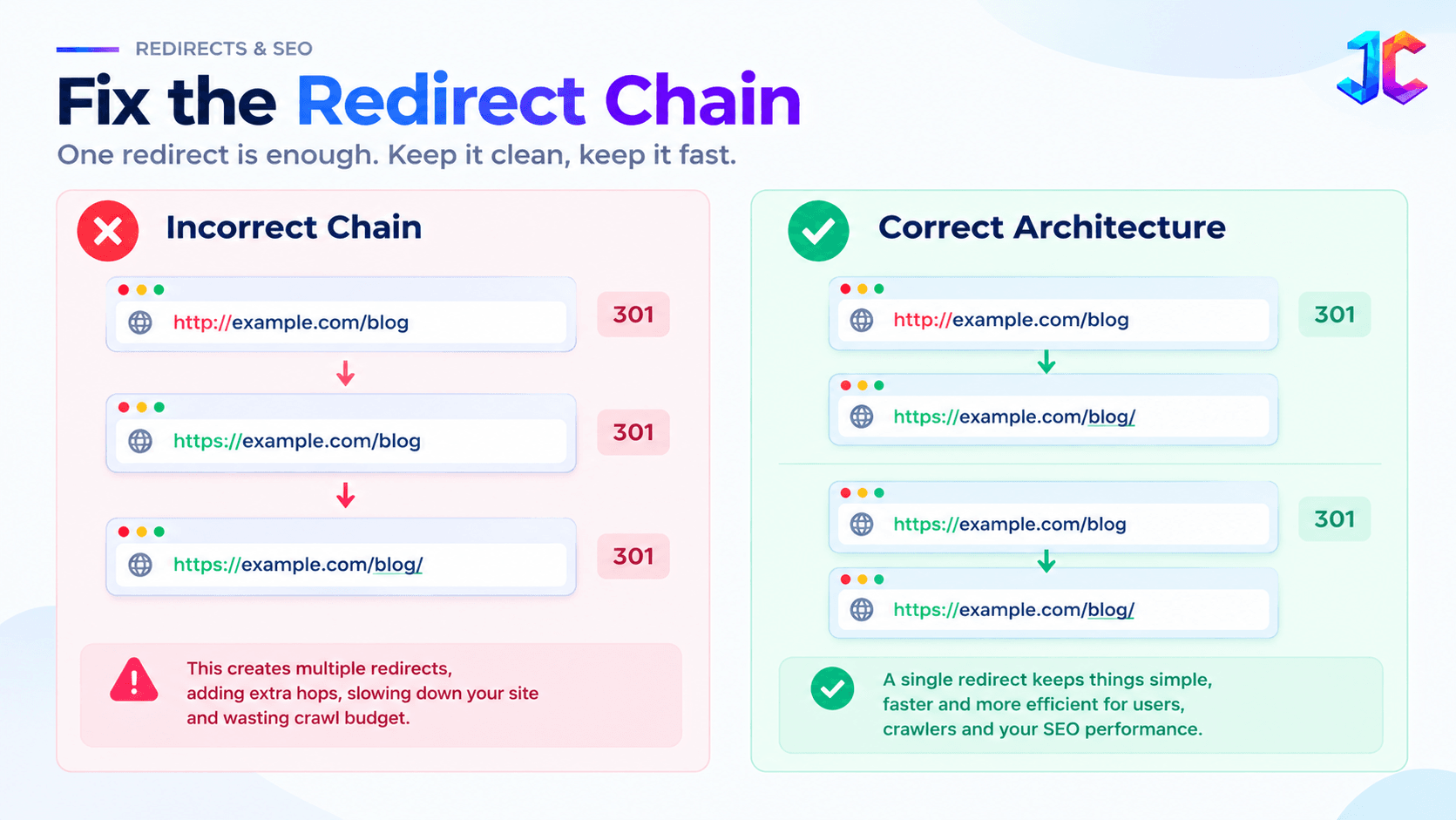
A redirect chain occurs when URL A points to URL B, which in turn redirects to URL C. Every hop introduces round-trip network latency and reduces signal transfer efficiency.
Googlebot guidelines confirm that crawlers follow a maximum of five redirect hops before abandoning the path. In practice, search engines may drop PageRank transfer after just two hops.
Ensure every legacy URL resolves to its target destination in exactly one hop:
Phase 4: Content Parity, Information Architecture, and Metadata Preservation
A successful redirect guarantees that a crawler lands on the new URL, but content parity determines whether the page retains its rankings.
If Googlebot follows a 301 redirect and discovers that the destination page lacks the topical depth, keyword coverage, heading hierarchy, or entity relationships of the original page, it re-evaluates the query intent. This often results in a permanent loss of primary keyword positions.
Content Parity Audit Points
- Heading Structure: Verify that primary H1 and secondary H2 concepts remain consistent. If the original page ranked for "custom software development pricing," the target page must feature an equivalent H2 discussing pricing models.
- Body Copy Depth: Do not replace a 2,000-word comprehensive guide with a 400-word promotional summary. Maintain semantic depth and structured data tables.
- Structured Data (Schema.org): Replicate or improve JSON-LD schemas. If the legacy article featured Article, FAQPage, or Product schema, verify that the target page outputs validated, non-broken markup.
- Metadata Alignment: Align title tags and meta descriptions with historical winners. Avoid automated, truncated titles generated by fresh CMS defaults.
- Canonical URLs: Ensure canonical tags on target pages are self-referencing to the target URL. Never leave canonical tags pointing to legacy domains or staging URLs.
Phase 5: Internal Link Architecture and Asset Migration
A common operational error is leaving legacy internal links untouched after deploying 301 redirects. When your internal navigation and body links point to redirected URLs, every page load triggers unnecessary internal hops, wasting crawl budget and slowing down users.
Before launching, crawl your new code repository or staging database and update all internal links to their direct canonical destinations.
Media Asset and Document Migration
Images and documents carry substantial organic equity that teams often neglect:
- Google Images Equity: Product images and diagrams generate contextual authority and direct image search traffic. Preserve original image file names and directory paths where practical.
- Downloadable PDFs: Industry whitepapers, case studies, and documentation often gather external backlinks from academic or media sites. Map legacy PDF URLs to their exact counterparts or equivalent HTML landing pages.
- Alt Text Integrity: Verify that image alt attributes are retained during content migration, supporting both accessibility standards and search crawler comprehension.
For organizations managing extensive enterprise software ecosystems, maintaining link integrity during legacy application modernization protects enterprise client relationships and established search footprints.
Phase 6: Staging Security and Pre-Launch Validation
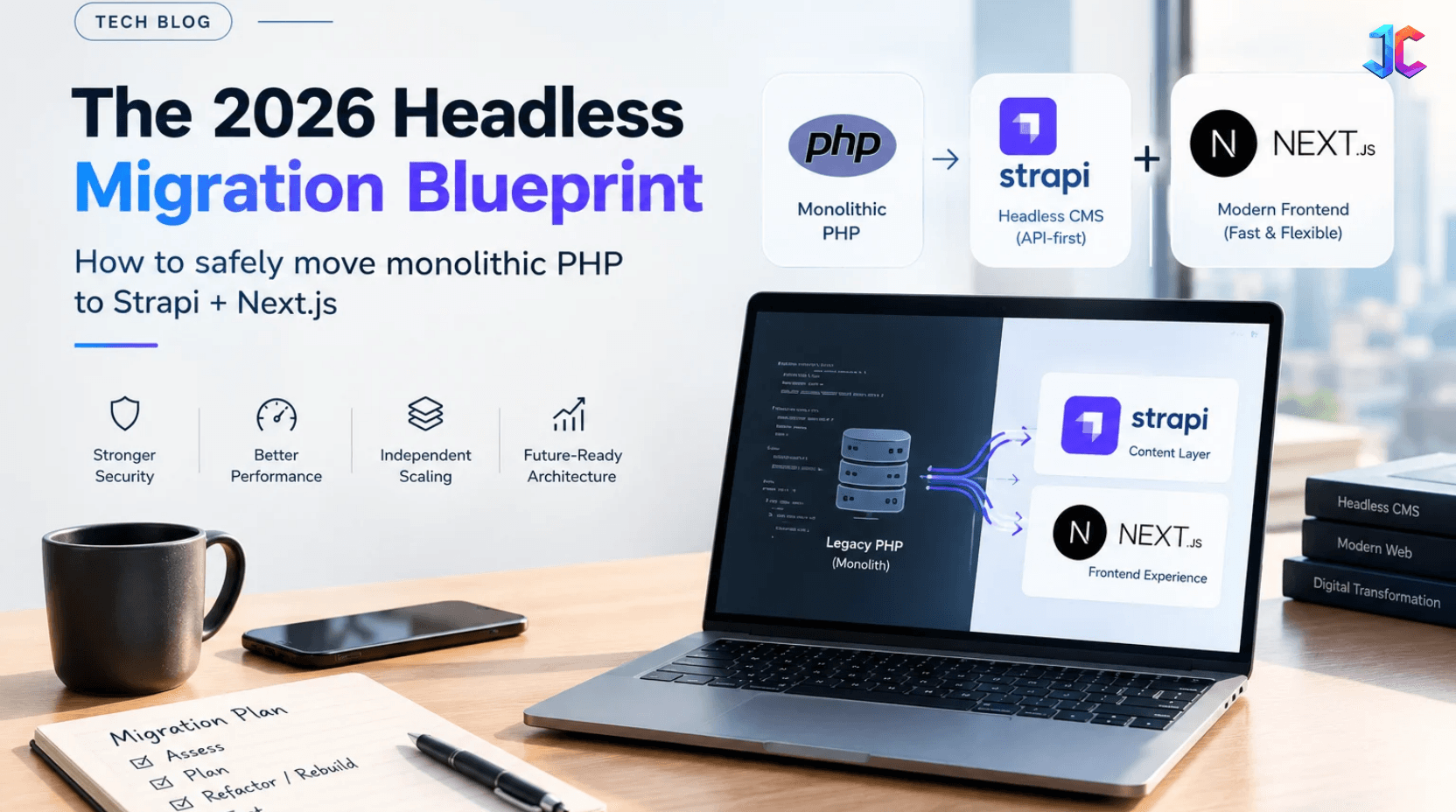
Staging environments are critical for testing, but an unsecured staging site can harm your production SEO even before launch day. As outlined in our PHP Website to Strapi + Next.js: End-to-End Migration Blueprint, securing staging environments and validating SEO configurations are essential steps for ensuring a smooth, search-friendly migration.
If search engine bots crawl and index your staging website, they encounter duplicate content. In severe scenarios, search engines index the staging domain as canonical, triggering manual spam actions or deindexing your live website.
Staging Security Rules
- HTTP Basic Authentication: Enforce server-level password authentication across all staging subdomains and development preview environments.
- X-Robots-Tag Headers: Configure your staging web server to send an X-Robots-Tag header with the value "noindex, nofollow, noarchive" on all HTTP responses.
- Firewall IP Whitelisting: Restrict access to designated corporate VPNs or office IP addresses.
- Never Rely Solely on Robots.txt: A robots.txt disallow rule prevents crawling, but it does not prevent indexing if another page links to the staging URL. Server-level authentication is mandatory.
Automated Staging Verification
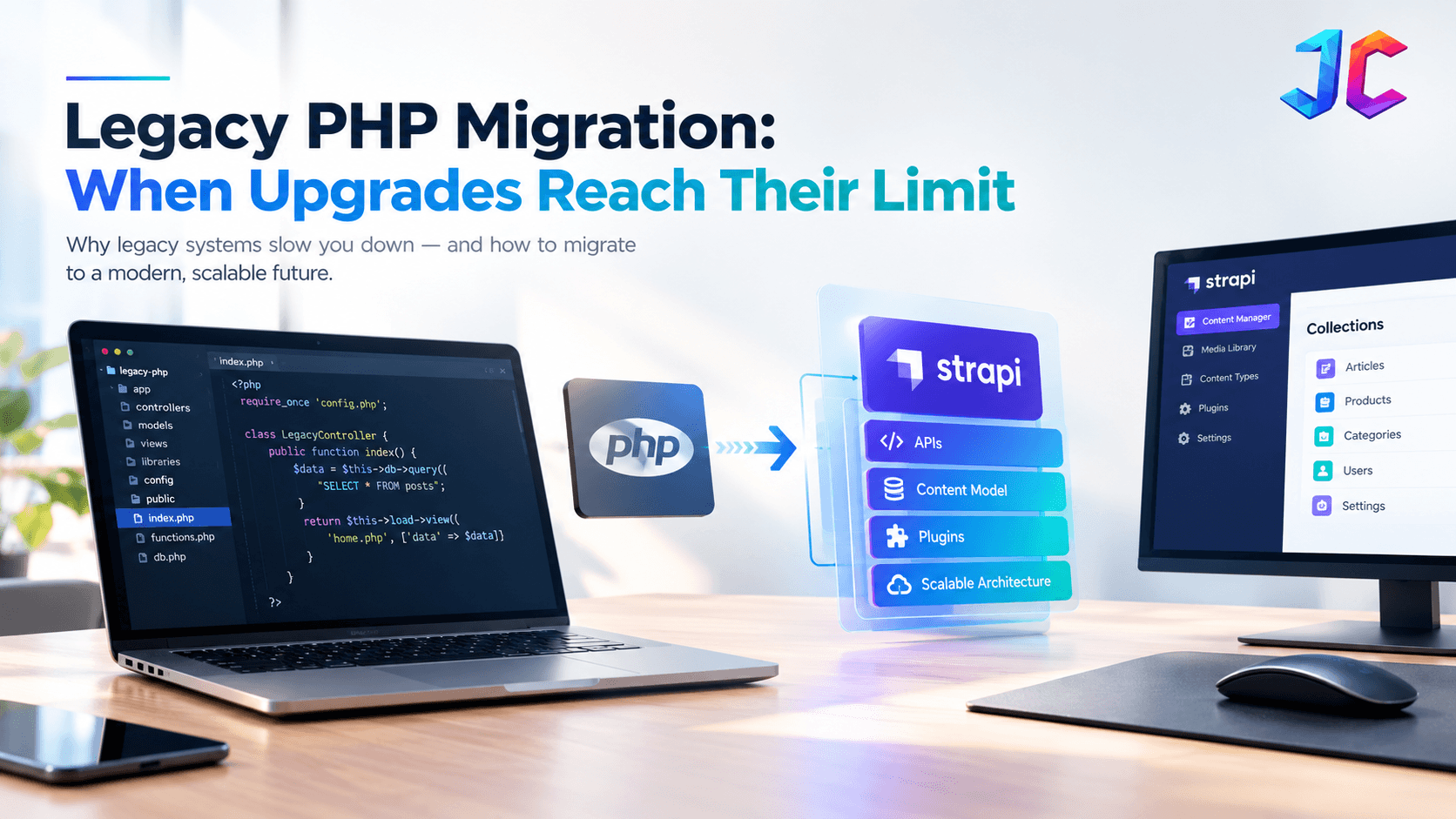
As part of Legacy PHP Modernisation: When to Upgrade, Refactor or Rebuild with Strapi + Next.js, redirect validation is a crucial step before cutover. Upload your master redirect map into Screaming Frog using List Mode and point the crawler to your staging environment through custom host configurations. Confirm that:
- One hundred percent of Tier 1 URLs return expected 301 status codes.
- No redirect destinations return 404, 500, or soft 404 errors.
- Destination pages return clean self-referencing canonical tags.
- Page rendering times and Core Web Vitals (Largest Contentful Paint, Interaction to Next Paint, Cumulative Layout Shift) meet Google good thresholds.
Phase 7: Cutover Protocol and Indexing Orchestration
The cutover phase represents the operational transition of production traffic. Executing this step requires precise timing and coordinated infrastructure steps.
Step-by-Step Cutover Protocol
- Lower DNS TTL Values (T minus 72 Hours): Reduce Time to Live (TTL) on existing DNS records to 300 seconds (5 minutes). This ensures rapid global propagation when switching A or CNAME records on launch day.
- Deploy Final Database Delta (T minus 4 Hours): Freeze legacy CMS editing, export recent comments, form entries, and media updates, and import the final delta into the new production database.
- Switch DNS Records (T Zero): Point domain DNS records to the new hosting platform or edge proxy.
- Verify SSL Certificates: Ensure SSL/TLS certificates for both root and www domains, as well as HTTP/2 or HTTP/3 protocols, resolve without handshake errors.
- Activate Edge Redirect Maps: Enable edge routing rules to handle legacy URL patterns immediately.
- Deploy Production Robots.txt: Verify that robots.txt is live, accessible, and does not contain accidental disallow directives from staging configurations.
Dual XML Sitemap Strategy for Rapid Re-Indexing
One of the most effective techniques to accelerate Googlebot redirect recognition is the dual XML sitemap protocol.
Standard procedure involves submitting the new XML sitemap to Google Search Console. However, Googlebot crawls new sitemaps to find new content, not necessarily to discover redirects on old URLs.
To expedite equity transfer:
- Generate an XML sitemap containing all legacy URLs that are now redirected.
- Host this legacy sitemap on your production server (for example, /legacy-sitemap.xml).
- Submit the legacy sitemap alongside your new sitemap in Google Search Console.
- Googlebot reads the legacy sitemap, recrawls the old URLs, encounters the 301 redirects immediately, and updates the search index significantly faster than through passive crawling.
- Keep the legacy sitemap submitted for ninety days, then remove it once Search Console reports zero remaining valid pages on the old structure.
If your migration involves a full domain change, utilize the Google Search Console Change of Address tool. Note that this tool only applies to domain-level or subdomain-level transitions; it does not process path-level URL reorganizations on the same hostname.
PHP to Strapi + Next.js Migration: Preserving URLs and SEO Equity
Migrating from a traditional PHP website to Strapi and Next.js introduces changes to content storage, application routing, and frontend rendering. However, changing the underlying technology does not require changing established public URLs.
The objective is to modernise the application architecture while maintaining the existing URL ecosystem and search engine signals.
Step 1: Audit the Existing PHP Architecture
Before extracting content, identify how the PHP application currently generates pages and manages information.
Audit the following components:
- PHP templates and page-generation logic.
- Database tables, relationships, and content structures.
- Dynamic URL patterns and permalink rules.
- Existing metadata and canonical generation logic.
- Blog categories, tags, author archives, and pagination.
- Media uploads, downloadable documents, and image paths.
- Forms, authentication, and API integrations.
Document how each legacy PHP route corresponds to its underlying database record.
Step 2: Map PHP Database Structures to Strapi Content Types
Strapi should represent the existing content relationships without unnecessarily flattening or removing important information.
For example:
| Legacy PHP Structure | Strapi Equivalent |
|---|---|
blog_posts |
Blog Post collection type |
categories |
Category collection type |
authors |
Author collection type |
pages |
Page collection type |
post_categories |
Many-to-many relationship |
post_meta |
SEO component or custom fields |
media_uploads |
Strapi Media Library |
Preserve original record identifiers or create a reliable legacy ID mapping. This makes content reconciliation and migration validation easier.
Step 3: Preserve Legacy PHP URLs in Next.js
Next.js should reproduce the existing public URL structure wherever practical.
For example:
| Legacy PHP URL | Next.js Destination |
|---|---|
/about.php |
/about.php |
/services.php |
/services.php |
/blog.php?id=125 |
/blog.php?id=125 |
/blog/website-migration.php |
/blog/website-migration.php |
/category/technology/ |
/category/technology/ |
Do not automatically convert every .php URL into a clean URL. If changing the URL is necessary, create and test an explicit permanent redirect to the equivalent destination.
Implement the required routing logic using Next.js route handlers, dynamic routes, or appropriate server-side routing infrastructure.
Step 4: Migrate Metadata and Structured Data
Create a dedicated SEO component or content model in Strapi to preserve:
- SEO title and meta description.
- Canonical URL.
- Open Graph title, description, and image.
- Twitter card metadata.
- Robots directives.
- Schema.org JSON-LD.
- Original publication and modification dates.
Ensure Next.js generates the correct metadata for each migrated page instead of relying on generic defaults.
Step 5: Preserve Rendering and Crawlability
A headless CMS migration must account for how search engines access the frontend.
Use Next.js Server-Side Rendering (SSR), Static Site Generation (SSG), or Incremental Static Regeneration (ISR), depending on content requirements.
Verify that important page content, internal links, canonical tags, and structured data are available in the rendered HTML.
Step 6: Validate Every Migrated URL
Compare the old PHP website with the new Next.js frontend using automated crawls and migration scripts.
Check:
- Source URL and destination URL consistency.
- HTTP response codes.
- Page title and meta description parity.
- Canonical URL accuracy.
- Content completeness.
- Internal link integrity.
- Image and document availability.
- Structured data validity.
The migration should not be considered complete until critical legacy URLs resolve correctly and their new destinations provide equivalent content and search intent.
The Complete Website Migration QA Checklist
To ensure absolute operational accuracy, engineering and SEO teams must complete every item in this structured QA matrix.
| Phase | Checkpoint | Verification Method | Owner | Status |
|---|---|---|---|---|
| Pre-Launch | Master URL inventory consolidated | Aggregated GSC, GA4, crawl, and backlink data | SEO Lead | Verified |
| Pre-Launch | 1-to-1 redirect mapping completed | Spreadsheet audited for zero generic homepage redirects | SEO Lead | Verified |
| Pre-Launch | Staging security enforced | HTTP Basic Auth and X-Robots-Tag confirmed | DevOps | Verified |
| Pre-Launch | Content parity verified | Heading and copy depth audited across Tier 1 pages | Content Lead | Verified |
| Pre-Launch | Staging redirect simulation | Screaming Frog list crawl confirms zero 404s or chains | QA Engineer | Verified |
| Pre-Launch | DNS TTL reduced to 300s | DNS registrar check 72 hours prior to cutover | DevOps | Verified |
| Cutover Day | DNS records switched | Global propagation verified via DNS checkers | DevOps | Verified |
| Cutover Day | SSL certificate validation | HTTPS resolves without browser warnings or mixed content | DevOps | Verified |
| Cutover Day | Production robots.txt audit | Verified no disallow rules block legitimate content | SEO Lead | Verified |
| Cutover Day | Redirect rules activated | Direct curl tests on Tier 1 URLs confirm 301/308 responses | QA Engineer | Verified |
| Cutover Day | Analytics and event tracking | Real-time GA4 and conversion event firing confirmed | Analytics Lead | Verified |
| Cutover Day | Dual XML sitemaps submitted | New sitemap and legacy sitemap uploaded to GSC | SEO Lead | Verified |
| Post-Launch | 404 error log monitoring | Daily server log review for sudden 404 spikes | DevOps / SEO | Active |
| Post-Launch | GSC Index Coverage tracking | Monitor page transition from legacy to new canonicals | SEO Lead | Active |
| Post-Launch | Keyword ranking drift analysis | Daily tracking of primary commercial terms | SEO Lead | Active |
| Post-Launch | Server log crawler monitoring | Confirm Googlebot crawls legacy redirects and new URLs | SEO Lead | Active |
Phase 2: PHP Security Assessment, Patch First, Then Modernise
Before migrating a legacy PHP application to Strapi and Next.js, evaluate the security condition of the existing environment. An outdated PHP version, vulnerable dependencies, exposed configuration files, and insecure database connections can create operational risks during migration.
PHP Vulnerability Assessment Checklist
- PHP Version Audit: Identify the current PHP version and check whether it still receives security updates.
- Dependency Assessment: Review Composer packages and third-party libraries for known vulnerabilities.
- Application Security: Inspect authentication, session handling, file uploads, input validation, and database query execution.
- Server Configuration: Check file permissions, exposed environment files, outdated extensions, and unnecessary services.
- Database Protection: Verify access controls, backup integrity, and encrypted connections where appropriate.
- Security Patching: Apply available security updates and test compatibility before proceeding with architectural changes.
Patch First, Then Decide Whether to Modernise
Not every legacy PHP application needs immediate replacement. Some applications can remain secure and maintainable through targeted updates, while others have accumulated enough technical debt to justify modernisation.
Evaluate three possible approaches:
- Patch and Maintain: Continue with PHP when the existing application is stable, supported, and cost-effective to maintain. 2.Incremental Modernisation: Replace selected components while retaining business-critical PHP functionality. 3.Full Replatforming: Move content management to Strapi and frontend delivery to Next.js when the existing architecture limits scalability, maintainability, or development efficiency.
The decision should be based on security exposure, maintenance costs, business requirements, and long-term architectural goals rather than framework popularity alone.
A migration should not become an excuse to leave known vulnerabilities unaddressed.
Phase 8: Post-Migration Observability and Disaster Recovery
The thirty days following cutover determine the long-term success of your migration. Daily observability allows engineering teams to identify and resolve anomalies before they impact quarterly business revenue.
Server Log Analysis
Third-party analytics tools like Google Analytics 4 only record visits from human users running JavaScript. They provide zero visibility into search engine crawler behavior.
Server access log files are the definitive source of truth. Analyze raw server logs daily for:
- Googlebot Crawl Frequency: Confirm that crawler activity increases as Googlebot digests the transition.
- Response Code Distribution: Track the ratio of 200 OK, 301 Moved Permanently, 404 Not Found, and 500 Server Error responses. A spike in 404 or 500 responses indicates misconfigured routes or unmapped URLs.
- Crawler Traps: Identify infinite loops caused by trailing slash conflicts or parameter handling.
Post-Migration Triage Protocol
If primary keyword rankings experience unexpected volatility beyond normal transitional variance, follow this systematic triage sequence:
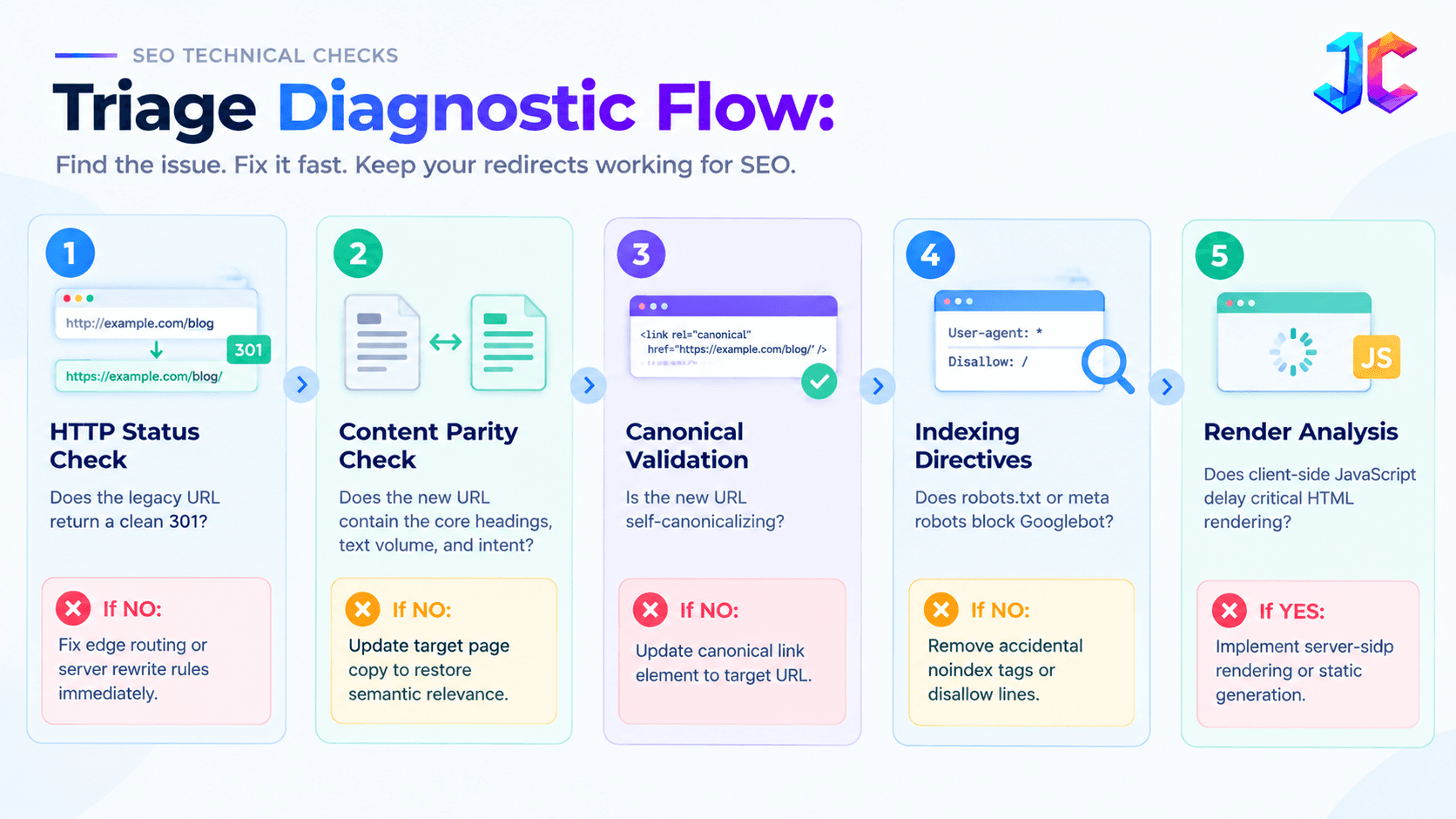
If critical operational failures occur, such as catastrophic database errors or broken customer checkout funnels, the team must execute the documented rollback plan within sixty minutes, reverting DNS records to the legacy environment while preserving transaction logs.
FAQs
How long does Google take to recognize 301 redirects during a website migration?
Googlebot typically recognizes permanent redirects within several days to a few weeks, depending on the crawling frequency and PageRank of the old URLs. For large websites, complete signal transfer and canonical consolidation across the entire index can take between one and three months.
Will my website temporarily lose organic rankings during an SEO migration?
A temporary fluctuation of five to ten percent in search impressions is normal during the first two to three weeks as search engines recrawl both domains and reconcile canonical URLs. If rankings drop more than fifteen percent or persist beyond four weeks, it indicates broken redirects, missing content parity, or indexation blockades.
What is the difference between a 301 and a 308 redirect for website migrations?
HTTP status code 301 indicates a permanent move but allows HTTP clients to change the request method from POST to GET upon redirection. HTTP status code 308 is also permanent but strictly requires the client to retain the original HTTP method and body, making 308 essential for preserving programmatic API endpoints and form POST destinations during infrastructure migrations.
Can I redirect all old URLs to the homepage instead of mapping individual pages?
Redirecting legacy URLs en masse to the homepage is treated by Google as a soft 404 error because the target page does not satisfy the original search intent. When Google flags redirects as soft 404s, it drops the historical PageRank equity, resulting in catastrophic organic traffic loss.
Can I migrate a PHP website to Strapi and Next.js without changing existing URLs?
Yes. Existing PHP URL patterns can be preserved through appropriate Next.js routing. If a URL must change, configure a permanent redirect to its closest equivalent destination and preserve the original content and metadata wherever possible.
Should I fix PHP vulnerabilities before migrating to Strapi and Next.js?
Yes. Apply relevant security patches, update vulnerable dependencies, and secure the existing environment before migration. This reduces exposure during the transition and helps teams distinguish security problems from migration-related issues.
How do I migrate a PHP database to Strapi?
Start by auditing the existing database schema, identifying content entities and relationships, and mapping them to Strapi collection types and components. Migrate content in controlled batches, preserve legacy identifiers, and validate record counts, relationships, and media references after importing.
Will migrating from PHP to Next.js affect Google rankings?
It can affect rankings if the migration changes URLs, removes important content, introduces incorrect canonical tags, or prevents search engines from rendering page content. Maintaining URL consistency, metadata parity, appropriate redirects, and crawlable rendering helps reduce migration risks.
Should I use 301 or 308 redirects when migrating a PHP website?
Use 301 redirects for permanently relocated browser-facing pages. Use 308 redirects when permanent redirection must preserve the original HTTP request method and body, particularly for API or POST-based endpoints where method preservation is required.
Why should I submit an old XML sitemap to Google Search Console after migrating?
Submitting an XML sitemap of the retired URLs directly to Google Search Console prompts Googlebot to crawl the legacy URLs faster. This explicit signal accelerates the discovery of your 301 redirects by up to three times compared to waiting for organic crawler re-discovery.
How long should 301 redirects remain active on the server?
Google Search Central documentation explicitly advises webmasters to keep 301 redirects active for a minimum of one full year. In enterprise environments with high-value historical backlinks, maintaining permanent redirects indefinitely is standard best practice to prevent backlink equity degradation.
Strategic Migration Consultation
A successful website migration requires balanced collaboration between technical systems architects, frontend developers, and enterprise SEO strategists.
If your organization is planning a complex CMS replatforming, domain rebranding, or custom software development migration, our engineering team can audit your legacy architecture, design custom edge redirect rules, and safeguard your search rankings throughout the transition.
Discover how our CMS migration services deliver zero-downtime deployments, complete URL equity retention, and scalable architectures engineered for sustainable digital growth.